

FM Backup
Complete Joomla backup and restore — files, database, and a one-click rebuild.
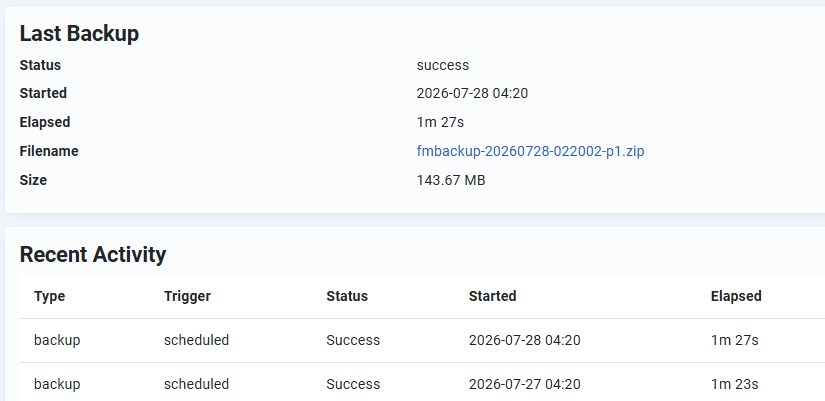
FM Backup is a free, open-source backup and restore suite for Joomla 6. It captures your entire site — every file plus the full database — into a single portable ZIP archive, and restores it just as easily. No account, no upsell, no paid tier holding the restore function hostage.
Why another backup component?
Most backup failures on shared hosting come down to one thing: PHP gives up before the job finishes. FM Backup is built around that constraint from the ground up. Backups run as a stepped engine — the browser drives the job in small, bounded chunks, so a run never depends on a single long-lived PHP request. You get a live progress bar, and a job that survives the hosting limits which break naive backup scripts.
What's New
it is now possible to restore selected database tables based on a table prefix, instead of the whole DB
Key features
- Full site capture — files and database in one archive, with an embedded
manifest.jsonrecording the profile, date, Joomla version and database prefix. - Backup profiles — define as many as you like. Each has its own include/exclude rules for both files and database tables, so you can keep a fast "database only" profile alongside a full monthly archive.
- External folders — include directories that live outside your Joomla root, configured per profile.
- Live progress with pause and resume — real-time percentage and log output. Navigate away mid-run and the job pauses cleanly; come back and it picks up where it stopped.
- Smart compression — already-compressed files (images, video, PDFs, fonts, archives) are stored rather than re-compressed, which is typically the single biggest speed win on a media-heavy site.
- Efficient database dumps — cursor-based pagination keeps each chunk the same cost whether a table holds a thousand rows or a million.
- Restore that works on any server — the restore picker reads archives straight off disk and reads each one's manifest from inside the ZIP. It never needs a matching log record, so an archive from one site restores cleanly onto another. Database prefixes are rewritten automatically during import.
- Scheduled backups — a Task plugin plugs into Joomla's native Scheduler for unattended runs, with a separate purge task for age-based cleanup.
- Two-layer retention — keep the newest N archives per profile, and independently purge anything older than a set number of days. The purge always spares the most recent archive, so you are never left with nothing.
- Dashboard quick icon — backup status visible on the Joomla control panel at a glance.
- Secure by default — archives can be stored outside the web root, downloads are CSRF-protected and path-traversal hardened, and FM Backup's own tables are protected during a restore so the engine can't wipe its state mid-run.
- Detailed logs — every run keeps a full step-by-step log with elapsed timings, so a failure tells you exactly where it stopped.
What's in the package
One install file delivers the component plus two plugins:
com_fmbackup— the backup and restore componentplg_task_fmbackup— Scheduler tasks for automated backups and purgingplg_quickicon_fmbackup— control panel status icon
Requirements
- Joomla 6.0 or later
- PHP 8.1 or later, with the
zipextension enabled - MySQL or MariaDB
Installation
Install the package through System → Install → Extensions in the usual way. Set your storage path and retention under Options, create a profile, and run your first backup. Updates arrive through Joomla's built-in updater.
Released under the GNU GPL v2 or later.
Changelog
v1.2.0 2026-10-06
Restore safety & control
- Restore a single table prefix — for database-only restores, choose to restore every safe table or only tables matching a specific prefix (e.g.
jos_survey_), leaving everything else untouched. - Upload a backup from your PC — restore from a local file without first copying it to the server's storage folder.
v1.1.0 2026-07-31
v1.0.18 2026-07-29
Corrected XML files to be fully JED compliant.
v1.0.17 2026-07-27
First public release with supporting documentation.